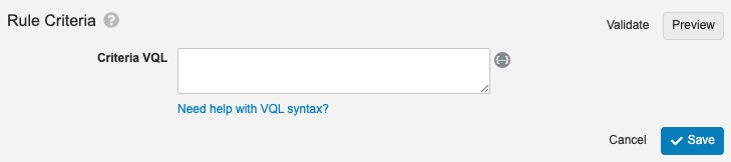
 Click **Token Helper** (
 ) to the right of the _Criteria VQL_ field to search for available tokens on an object. String field values are case-sensitive.
Use a backslash (`\`) to escape special characters in VQL.
## Dynamic Access Control & Static Reference Constraints {#static-reference-constraints}
The following applies to static constraints; [dynamic reference constraints][2] use tokens.
Rules for dynamic access control and static reference constraints use the same criteria. The sections below explain the available fields.
Nested expressions (join relationships) are not allowed. Additionally, `OR` is not supported for constraints on documents.
### ID Fields
Object record IDs are system-managed fields used in the API and are not visible in the Vault UI. If you know the object record ID, you can use it to identify the object record. However, you can also use the object record name.
| Object | Object Record | Field Name | Field Value (example) | Rule Criteria Entry |
| --- | --- | --- | --- | --- |
| Product | CholeCap | `id` | `ABC000000001001` | `id = ABC000000001001` |
| Study | VVT485-301 | `id` | `DEF000000001002` | `id = DEF000000001002` |
We recommend using object record name fields and [lookup fields][4] to identify your object records.
### Text (String) Fields
Enter text field value labels as shown in the object record details (capitals, spaces, special characters, and so on) and enclose all values in single quotes (`'`). These are case-sensitive (meaning _Cholecap_ does not equal _CholeCap_).
Here are some examples of commonly used criteria:
| Object Label | Field Label | Field Name | Field Value (example) | Rule Criteria Entry |
| --- | --- | --- | --- | --- |
| Product | Product Name | `name__v` | `CholeCap` | `name__v = 'CholeCap'` |
| Country | Country Name | `name__v` | `United States` | `name__v = 'United States'` |
| Study | Study Number | `name__v` | `VVT485-301` | `name__v = 'VVT485-301'` |
| Study | Study Name | `study_name__vs` | `Cholecap Efficacy Trial` | `study_name__vs = 'Cholecap Efficacy Trial'` |
### Picklist Fields
When querying picklists, the behavior varies slightly between documents, objects, and workflows.
#### Workflows
To query workflow picklists, use the picklist value label enclosed in single quotes (`'`). For example, the _Therapeutic Area_ picklist field has the picklist value label _Hematology_, so you would enter `therapeutic_area__vs = 'Hematology'`.
If you supply a value that is not a valid label, VQL treats the result as undefined. This means inequalities return nothing. For example, `workflow_type__v {=,>,<} 'Invalid Label'` returns nothing because `'Invalid Label'` is not a valid value of the picklist.
#### Documents
To query document picklists, use the picklist value label enclosed in single quotes (`'`). For example, the _Therapeutic Area_ picklist field has the picklist value label _Hematology_, so you would enter `therapeutic_area__vs = 'Hematology'`.
If you supply an invalid value for the label, VQL treats the label as a string. This means inequalities operate alphabetically and return results for invalid picklist values. For example, if a picklist named `p` contains values `{'k', 'g', 'a'}`, then `p < 'h'` evaluates to `true` for values `'a'` and `'g'`.
#### Objects
To query object picklists, do not enter picklist value labels as shown in the object record details. Instead, use the picklist value name enclosed in single quotes (`'`). For example, the _Therapeutic Area_ picklist field has the picklist value label _Hematology_ and the picklist value name `hematology__vs`, so you would enter `therapeutic_area__vs = 'hematology__vs'`. To find picklist value names, navigate to **Business Admin > Picklists**.
If you supply an invalid value for the label, VQL treats the label as a string. This means inequalities operate alphabetically and return results for invalid picklist values. For example, if a picklist named `p` contains values `{'k', 'g', 'a'}`, then `p < 'h'` evaluates to true for values `'a'` and `'g'`.
Here are some examples of commonly used criteria:
| Object Label | Field Label | Field Name | Field Value (example) | Rule Criteria Entry |
| --- | --- | --- | --- | --- |
| Product | Therapeutic Area | `therapeutic_area__vs` | `hematology__vs` | `therapeutic_area__vs = 'hematology__vs'` |
| Product | Product Family | `product_family__vs` | `wonderdrug_family__c` | `product_family__vs = 'wonderdrug_family__c'` |
| Study | Study Type | `study_type__v` | `safety__vs` | `study_type__v = 'safety__vs'` |
| Study | Study Phase | `study_phase__v` | `phase3__vs` | `study_phase__v = 'phase3__vs'` |
### Object Lookup Fields {#object-lookup-fields}
Many object records have relationships with other object records. For example, the object record details for study number _VVT485-301_ shows that it is associated with the product _CholeCap_. When looking at fields configured on a particular object, these have the data type _Object_ with the object type in parentheses. For example, the _Study_ object includes the field name `product__v`.
Assume you're configuring rule criteria on the _Study_ object and want to filter on the product named _CholeCap_. You cannot enter `name__v = 'CholeCap'` because the `name__v` field applies to the _Study_. If you knew the product ID, you could enter `id = '1357663087386'`. However, this is most easily achieved by using an object lookup field in the form `product__vr.name__v = 'Cholecap'`. By adding `__vr` to the product name and using dot notation to combine it with a product object field, Vault allows you to traverse the relationship between the two objects. You can apply this method to any Vault object.
* For standard objects (`vault_object__v`), the lookup name is `vault_object__vr.name__v`.
* For custom objects (`custom_object__c`), the lookup name is `custom_object__cr.name__v`.
Here are some examples of commonly used criteria:
| Object Label | Field Label | Field Name | Field Value (example) | Rule Criteria Entry |
| --- | --- | --- | --- | --- |
| Study | Product | `product__v` | `WonderDrug` | `product__vr.name__v = 'WonderDrug'` |
| Study Site | Study | `study_number__v` | `VVT485-301` | `study_number__vr.name__v = 'VVT485-301'` |
| Study Site | Study Location | `location__v` | `UCSF Medical Center` | `location__vr.name__v = 'UCSF Medical Center'` |
| Study Site | Study Country | `study_country__v` | `United States` | `study_country__vr.name__v = 'United States'` |
| Location | Country | `country__v` | `United States` | `country__vr.name__v = 'United States'` |
| Study Country | Study Number | `study_number__v` | `VVT485-301` | `study_number__vr.name__v = 'VVT485-301'` |
) to the right of the _Criteria VQL_ field to search for available tokens on an object. String field values are case-sensitive.
Use a backslash (`\`) to escape special characters in VQL.
## Dynamic Access Control & Static Reference Constraints {#static-reference-constraints}
The following applies to static constraints; [dynamic reference constraints][2] use tokens.
Rules for dynamic access control and static reference constraints use the same criteria. The sections below explain the available fields.
Nested expressions (join relationships) are not allowed. Additionally, `OR` is not supported for constraints on documents.
### ID Fields
Object record IDs are system-managed fields used in the API and are not visible in the Vault UI. If you know the object record ID, you can use it to identify the object record. However, you can also use the object record name.
| Object | Object Record | Field Name | Field Value (example) | Rule Criteria Entry |
| --- | --- | --- | --- | --- |
| Product | CholeCap | `id` | `ABC000000001001` | `id = ABC000000001001` |
| Study | VVT485-301 | `id` | `DEF000000001002` | `id = DEF000000001002` |
We recommend using object record name fields and [lookup fields][4] to identify your object records.
### Text (String) Fields
Enter text field value labels as shown in the object record details (capitals, spaces, special characters, and so on) and enclose all values in single quotes (`'`). These are case-sensitive (meaning _Cholecap_ does not equal _CholeCap_).
Here are some examples of commonly used criteria:
| Object Label | Field Label | Field Name | Field Value (example) | Rule Criteria Entry |
| --- | --- | --- | --- | --- |
| Product | Product Name | `name__v` | `CholeCap` | `name__v = 'CholeCap'` |
| Country | Country Name | `name__v` | `United States` | `name__v = 'United States'` |
| Study | Study Number | `name__v` | `VVT485-301` | `name__v = 'VVT485-301'` |
| Study | Study Name | `study_name__vs` | `Cholecap Efficacy Trial` | `study_name__vs = 'Cholecap Efficacy Trial'` |
### Picklist Fields
When querying picklists, the behavior varies slightly between documents, objects, and workflows.
#### Workflows
To query workflow picklists, use the picklist value label enclosed in single quotes (`'`). For example, the _Therapeutic Area_ picklist field has the picklist value label _Hematology_, so you would enter `therapeutic_area__vs = 'Hematology'`.
If you supply a value that is not a valid label, VQL treats the result as undefined. This means inequalities return nothing. For example, `workflow_type__v {=,>,<} 'Invalid Label'` returns nothing because `'Invalid Label'` is not a valid value of the picklist.
#### Documents
To query document picklists, use the picklist value label enclosed in single quotes (`'`). For example, the _Therapeutic Area_ picklist field has the picklist value label _Hematology_, so you would enter `therapeutic_area__vs = 'Hematology'`.
If you supply an invalid value for the label, VQL treats the label as a string. This means inequalities operate alphabetically and return results for invalid picklist values. For example, if a picklist named `p` contains values `{'k', 'g', 'a'}`, then `p < 'h'` evaluates to `true` for values `'a'` and `'g'`.
#### Objects
To query object picklists, do not enter picklist value labels as shown in the object record details. Instead, use the picklist value name enclosed in single quotes (`'`). For example, the _Therapeutic Area_ picklist field has the picklist value label _Hematology_ and the picklist value name `hematology__vs`, so you would enter `therapeutic_area__vs = 'hematology__vs'`. To find picklist value names, navigate to **Business Admin > Picklists**.
If you supply an invalid value for the label, VQL treats the label as a string. This means inequalities operate alphabetically and return results for invalid picklist values. For example, if a picklist named `p` contains values `{'k', 'g', 'a'}`, then `p < 'h'` evaluates to true for values `'a'` and `'g'`.
Here are some examples of commonly used criteria:
| Object Label | Field Label | Field Name | Field Value (example) | Rule Criteria Entry |
| --- | --- | --- | --- | --- |
| Product | Therapeutic Area | `therapeutic_area__vs` | `hematology__vs` | `therapeutic_area__vs = 'hematology__vs'` |
| Product | Product Family | `product_family__vs` | `wonderdrug_family__c` | `product_family__vs = 'wonderdrug_family__c'` |
| Study | Study Type | `study_type__v` | `safety__vs` | `study_type__v = 'safety__vs'` |
| Study | Study Phase | `study_phase__v` | `phase3__vs` | `study_phase__v = 'phase3__vs'` |
### Object Lookup Fields {#object-lookup-fields}
Many object records have relationships with other object records. For example, the object record details for study number _VVT485-301_ shows that it is associated with the product _CholeCap_. When looking at fields configured on a particular object, these have the data type _Object_ with the object type in parentheses. For example, the _Study_ object includes the field name `product__v`.
Assume you're configuring rule criteria on the _Study_ object and want to filter on the product named _CholeCap_. You cannot enter `name__v = 'CholeCap'` because the `name__v` field applies to the _Study_. If you knew the product ID, you could enter `id = '1357663087386'`. However, this is most easily achieved by using an object lookup field in the form `product__vr.name__v = 'Cholecap'`. By adding `__vr` to the product name and using dot notation to combine it with a product object field, Vault allows you to traverse the relationship between the two objects. You can apply this method to any Vault object.
* For standard objects (`vault_object__v`), the lookup name is `vault_object__vr.name__v`.
* For custom objects (`custom_object__c`), the lookup name is `custom_object__cr.name__v`.
Here are some examples of commonly used criteria:
| Object Label | Field Label | Field Name | Field Value (example) | Rule Criteria Entry |
| --- | --- | --- | --- | --- |
| Study | Product | `product__v` | `WonderDrug` | `product__vr.name__v = 'WonderDrug'` |
| Study Site | Study | `study_number__v` | `VVT485-301` | `study_number__vr.name__v = 'VVT485-301'` |
| Study Site | Study Location | `location__v` | `UCSF Medical Center` | `location__vr.name__v = 'UCSF Medical Center'` |
| Study Site | Study Country | `study_country__v` | `United States` | `study_country__vr.name__v = 'United States'` |
| Location | Country | `country__v` | `United States` | `country__vr.name__v = 'United States'` |
| Study Country | Study Number | `study_number__v` | `VVT485-301` | `study_number__vr.name__v = 'VVT485-301'` |
Note: As a best practice, we recommend using the Token Helper () button to the right of the Criteria VQL text box to search for available object lookup fields.